Blog
Indeed vs QuratedAI: How Much Job Searching Do You Actually Need?
Indeed gives you control over the search. QuratedAI takes on more of the first-pass work. Here is how the two job-search workflows differ.
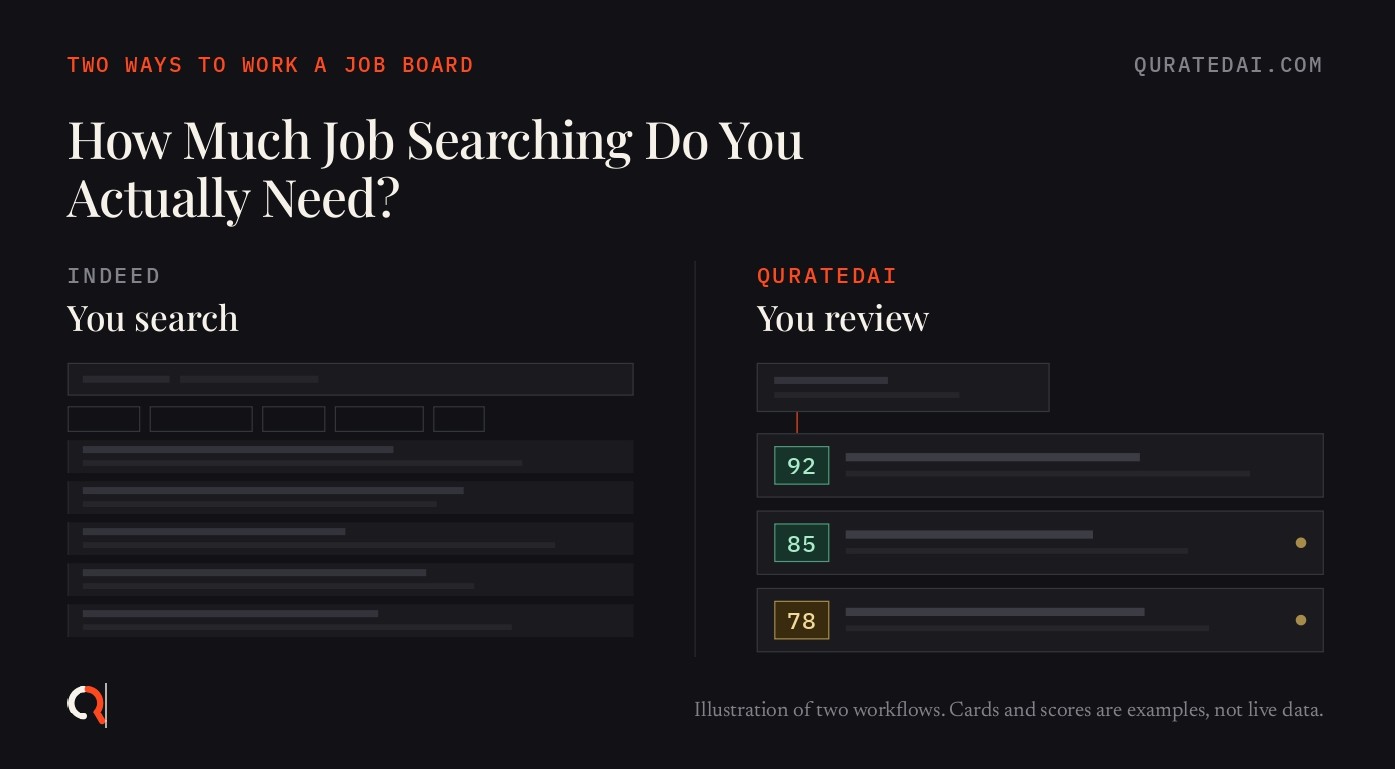
How much of the search do you actually do?
Indeed documents six filter categories, five search operators and a location radius you set with a PIN code. Every one of those controls is something you operate. You pick the keyword, you pick the filters, you read what comes back.
QuratedAI starts from your resume instead. It reads more than 12,000 company career pages each morning, along with job boards and search, and scores what it finds out of 10 against that resume. That figure is from QuratedAI's own product documentation, checked 31 August 2026.
Both products finish in the same place. You open a job and decide whether to apply.
The difference sits in the middle. On Indeed the first pass through the listings is yours. On QuratedAI more of that pass happens before anything reaches you.
This article compares the workflow. It cannot tell you which product finds more relevant jobs, because we have not run that test. The last two sections say exactly what is missing.
Quick comparison
| Indeed | QuratedAI | |
|---|---|---|
| Main workflow | You run searches and refine them | Automated collection, then matching against your resume |
| Starting point | A keyword and a location in the search fields | Your resume and a matching profile |
| Search controls | Filters for pay, work setting, work area, job type, education level, date posted. Operators title:, company:, quotes, AND, OR, dash | Matching profile holding roles, skills, location, experience, work mode, salary floor. Plus hard rules |
| Alerts | Email alerts built from a search you set up. Titles, locations and frequency editable | A daily digest of scored jobs |
| Recommendations | Results shaped by your profile qualifications, job preferences and activity on Indeed | A score out of 10 per posting, measured against your resume |
| First-pass review | Mostly yours, in the results list | Done before the shortlist is sent |
| Job result | A large searchable result set | A shortlist with reasons and red flags |
| Application | Apply on Indeed for hosted jobs, on the employer's site for indexed jobs | You follow the original job link |
| Employer side | Employers post jobs and can find and message you if you switch your profile to visible | No recruiter side |
Indeed rows are sourced in the sections below. QuratedAI rows come from QuratedAI's product documentation.
What searching on Indeed actually involves
Indeed's help page on improving your job searches, read 31 August 2026, sets the loop out in order.
You start in the two fields. Indeed suggests trying keyword combinations, because job titles vary between companies. In the location field it suggests a PIN or ZIP code to target a radius around a place.
Then you filter. The same page lists pay, work setting, work area, job type, education level and date posted, and notes that the filters you see can change with your location and your searches.
Underneath sits a layer for people who want it. Indeed documents title: for job titles and company: for a company name. Quotation marks find an exact phrase. OR includes either word and AND includes both. A dash in front of a word removes it. There is even a documented phrase, "no security clearance", you can add at the end of a query.
Then you read. You open listings, judge relevance, save what looks good, and either apply or turn the search into an alert.
None of this is a flaw. It is the point of the product.
If you already know your target titles, this is a fast way to work. Trying three different names for the same role takes a minute. The same page also says your search activity is private and employers cannot see you searching, which matters when you are looking while employed.
The work is real though, and it repeats. Each new angle means a fresh query and a fresh list to read.
What QuratedAI does before you see a job
The sequence is fixed, and you only touch the first step.
Resume and matching profile → collection → hard rules → matching → score out of 10 → reasons and red flags → shortlist
You upload a resume. QuratedAI builds a matching profile from it. That profile holds roles, skills, location, experience, work mode and a salary floor. It carries no name, no email, no phone number.
Collection runs every morning across career pages, job boards and search. Hard rules apply first, so anything breaking a non-negotiable is dropped before scoring starts. What survives gets a score out of 10 against your actual resume, with reasons and red flags attached. The product is built to reject far more postings than it sends.
What reaches you is a shortlist carrying the original job link.
This moves where the first pass happens. It does not guarantee every shortlisted job suits you. We have not measured how often the score agrees with a careful human reading of the same posting.
[Internal link opportunity: How it works page, describing the collection and scoring sequence.]
How much manual filtering does each one need?
Filtering happens at a different point in each product.
On Indeed it is live. You choose the keyword, the location, the radius, the filter combination, which results to open and which search deserves an alert. Indeed's search help page notes that results can adjust based on your earlier searches, your job search preferences and your activity on the site.
On QuratedAI it is set once. You define the matching profile and the hard rules. After that the system collects, drops what breaks a rule, and scores the remainder.
The trade runs both ways.
Manual control helps while you are still exploring. If you do not yet know whether you want "data analyst" or "analytics engineer", running both searches is how you find out. A standing profile cannot tell you about a job family you have never considered.
Automation helps once the exploring is finished. If your target is settled and your problem is time, moving the first pass off your plate is what changes.
Neither is the correct answer. They suit different weeks of the same search.
Are Indeed recommendations and QuratedAI matching the same thing?
They are not the same mechanism, and Indeed is no plain keyword engine. Indeed personalises, and it documents how.
Its page on adding or editing job search preferences, read 31 August 2026, lists two inputs. Qualifications cover languages, recent work experience, education, skills, licences and certifications. Indeed says it uses these to match your skills and experience to jobs. Job preferences cover titles, work areas, job types, schedule, pay, commute time, relocation and remote status. Indeed says these help it show jobs that fit your needs.
There is a third list on that page called "Hide jobs with these details". Anything you add there gets filtered out.
Indeed is specific about the effect. Details you accept bring more matching jobs to your homepage and get highlighted inside job posts under Profile insights and Job details. Details you hide are kept off your homepage, out of your email alerts and out of your search results until you unhide them. The same page says some jobs that do not match exactly are kept in so you do not miss opportunities.
QuratedAI's personalisation sits at a different point. The resume creates the profile. The score attaches to the individual posting. Reasons and red flags travel with the score. Hard rules run before scoring rather than as a ranking signal.
Our reading: the useful distinction is where personalisation sits in the workflow. Indeed applies it mainly to what surfaces and how it is ranked, inside a product you are also searching by hand. QuratedAI applies it as a per-posting judgement that decides whether you see the job at all. That is a claim about shape, not about accuracy.
What happens when you create a job alert?
The mechanics differ in how much you set up and how much you then watch.
Indeed. An alert starts from a search. Indeed's page on starting, stopping and managing job alerts, read 31 August 2026, says you enter your job title, keyword or company in the search field and add the city and region in the location field. You then add your email under the sign-up heading. A tip on the same page says you can refine the search with filters first, then activate the alert.
Managing them happens in Settings, then Communications settings, then Email, under Job and company alerts. The pencil icon edits job titles, locations and frequencies. Toggling off pauses an alert and toggling on resubscribes. You can also unsubscribe from inside any alert email. Indeed notes that multiple alerts must be deleted one at a time.
Our reading: an Indeed alert inherits whatever search you built it from. Change your target and you go back to edit the terms, or you build a second alert and maintain that one too.
QuratedAI. The standing input is the matching profile rather than a query. Collection and first-pass evaluation run each morning, and the digest arrives with scores, reasons and red flags. Change your target and you change the profile.
Both models need upkeep. On Indeed you maintain a set of searches. On QuratedAI you maintain one description of what you want.
Does your resume reduce the work?
On Indeed the resume does several jobs at once.
It feeds matching. Indeed's page on uploading a resume file to your profile, read 31 August 2026, says completing your contact details, preferences and profile helps employers find you. The same page says Indeed uses that information to match you with jobs better. Uploads convert to PDF automatically. A Sync to profile option fills your profile from the file.
It feeds applications. Indeed's page on applying for a job on Indeed, read 31 August 2026, says your resume is scanned for details like work experience, education and qualifications. You review those details before continuing. The employer receives them alongside the resume file.
It can also make you visible. Indeed's page on managing your profile privacy, read 31 August 2026, says the default setting is "Employers can't find you". Switch to "Employers can find you" and your profile becomes visible. Employers can then recommend jobs to you, review some information in your profile, and contact you through Indeed's messaging system. One documented limit is worth knowing: Indeed says you cannot hide your resume from only your current employer.
On QuratedAI the resume has one job. It creates the matching profile and it is the reference every score is measured against. The matching profile carries no name, email or phone number. There is no recruiter side, so no employer is searching a candidate database at the other end.
Keep the comparison narrow here. Indeed documents a visibility setting you control, defaulting to not findable. QuratedAI documents an architecture with no employer-facing search at all. That is a difference in what exists. It is not a claim that one company handles your data more responsibly than the other.
[Internal link opportunity: Privacy page, explaining the matching profile and the absence of a recruiter side.]
Where you still decide
On both products, you do.
Indeed's own help page on improving your job searches, read 31 August 2026, opens by saying employers post hundreds of new jobs every month and that sifting through them can be hard. You decide which results deserve attention and which are worth an application.
On QuratedAI the first pass is done for you. The shortlist arrives scored, with reasons and red flags. You still read those reasons. You still weigh the flags and choose. QuratedAI is not an auto-applier. It hands you the original job link and stops there.
The decision does not move. Only the volume of material you decide over.
Which workflow fits you?
This table is our interpretation of the mechanics. Nothing in it has been tested against outcomes.
| If you... | Likely fit |
|---|---|
| Want to explore many different job titles | Indeed |
| Want to control every search and filter yourself | Indeed |
| Are still working out which roles suit your skills | Indeed |
| Want operator-level control over query terms | Indeed |
| Already know your target role and want less browsing | QuratedAI |
| Want your resume driving the matching | QuratedAI |
| Want a smaller set of jobs to review daily | QuratedAI |
| Prefer the system to run the first pass | QuratedAI |
Plenty of people sit on both sides in the same month.
"Why not just use Indeed search and alerts?"
You can. For many searches that is enough.
Indeed covers keyword and title matching, a location radius, six filter categories, exact phrases, AND and OR, exclusions and a title operator. Alerts carry your refined filters into email and can be edited or paused whenever you like. Preferences shape your homepage and keep hidden details out of your alerts.
It is free for job seekers and it is large. Indeed's employer FAQ, read 31 August 2026, describes it as aggregating listings from thousands of sources. The sources it names are job boards, company career websites, local news sites, staffing agencies and recruiter listings, on top of jobs posted directly by employers.
If you enjoy running searches, or your role is easy to name and easy to filter, that combination will do the work.
What QuratedAI targets is narrower than finding better jobs. It is the stretch where you decide what to search, run it, and read everything the query returned before reaching a usable shortlist. QuratedAI moves collection and first-pass evaluation to the system, and shows the reasons behind each score so you can check its working.
If reading search results is not your bottleneck, that trade is worth less to you. Staying on Indeed is a reasonable outcome of this comparison.
[Internal link opportunity: existing comparison articles, if a reader wants the search-versus-scoring argument covered elsewhere.]
Your move
Three things worth doing this week, whether or not you ever pay for anything.
- Run one Indeed search for your main role with filters applied. Count how many of the first 25 results you would actually apply to. That number is your real signal-to-noise ratio, and it tells you whether volume is your problem.
- Write down your three hard rules. Minimum salary, locations you will not take, work mode. Most people carry these in their head and then read postings that break all three.
- Open your Indeed profile settings and check whether it says "Employers can find you" or "Employers can't find you". Decide deliberately rather than by default.
What we still need to test
None of these have been run. They are listed so the gaps stay visible.
Test 1: Search workload. One candidate profile, one target role, both products, a fixed period. Measure listings reviewed, time spent, relevant jobs found and applications chosen.
Test 2: Recommendation overlap. Compare Indeed's recommended and alerted jobs against the QuratedAI shortlist for the same profile over the same window. Measure overlap, unique jobs, and relevance rated by a human.
Test 3: Resume effect. Change resume fields one at a time. See how far results move on each platform.
Test 4: Alert workload. Count jobs arriving from a tuned Indeed alert against jobs actually needing review in a QuratedAI digest.
What this comparison cannot tell you
It cannot tell you which platform finds more relevant jobs overall. It cannot rank them on recommendation accuracy. It says nothing about interviews, offers or time to hire. It cannot tell you which has the stronger pool for your profession, or whether either one surfaces jobs the other misses.
All of that needs a controlled test with the same profile, the same period and a human rating the output. Anyone answering those questions without that test is guessing.
FAQ
Is Indeed or QuratedAI better for job searching? They ask for different amounts of effort from you, so it depends which effort you want to spend. Indeed gives you the controls and expects you to run the searches. QuratedAI takes a resume and does collection and first-pass scoring before sending a shortlist. We have tested neither on hiring outcomes, so we are not ranking them on results.
Does QuratedAI replace Indeed? No. They approach discovery differently. Indeed is a searchable pool of aggregated listings with filters and alerts over it. QuratedAI is not a browseable job database. It reads sources, scores postings against your resume, and sends the ones that hold up.
Does Indeed use my resume to recommend jobs? Yes. Indeed's help pages on job search preferences and resume upload, both read 31 August 2026, say your profile and preferences are used to match you with jobs better. Qualifications such as skills, education, licences and certifications are used to match your experience to jobs. Job preferences such as titles, pay, schedule and remote status shape what you are shown, and anything under "Hide jobs with these details" is filtered out.
Do I have to search for jobs manually with QuratedAI? No. Collection runs on its own across career pages, job boards and search. Your part is the resume, the profile and the hard rules.
Does QuratedAI apply for jobs for me? No. It is not an auto-applier. You get the score, the reasons, the red flags and the original job link, and you decide.
Can I use both at the same time? Yes, because neither depends on the other. Your Indeed searches and alerts keep running as usual and the QuratedAI digest arrives separately. There is no integration between them. We have not measured how much the two result sets overlap, which is Test 2 above.
Conclusion
What the evidence says
Indeed documents a large search environment. Keyword and title operators, a location radius, six filter categories, editable email alerts built from saved searches, and profile preferences shaping your homepage and your alerts. You decide what to search, what to filter and what to open.
QuratedAI documents a resume-led profile, daily collection across career pages and job boards, hard rules applied before scoring, a score out of 10 against the resume, and reasons and red flags on every score. You decide which shortlisted jobs deserve an application.
What we think it means
If your bottleneck is control, Indeed already gives you the controls. Comparing three job titles by hand and tuning filters is what it is built for. A standing profile will not replace that kind of exploring.
If your bottleneck is repetition, the first pass is the part QuratedAI is built around. Reading a shortlist with reasons attached is different work from reading a results page.
Work out which of those two problems you actually have. That answers the question better than any feature table.
Upload a resume at quratedai.com. QuratedAI builds a matching profile from it, scores postings against that resume, and sends you a daily digest with the reasons and red flags for each one. You decide which to apply to.
indeed-vs-quratedai · indeed-alternative · job-search · job-matching · job-alerts · resume-matching · ai-job-search